Speed Post Delivered But Not Received? Reasons & Solutions
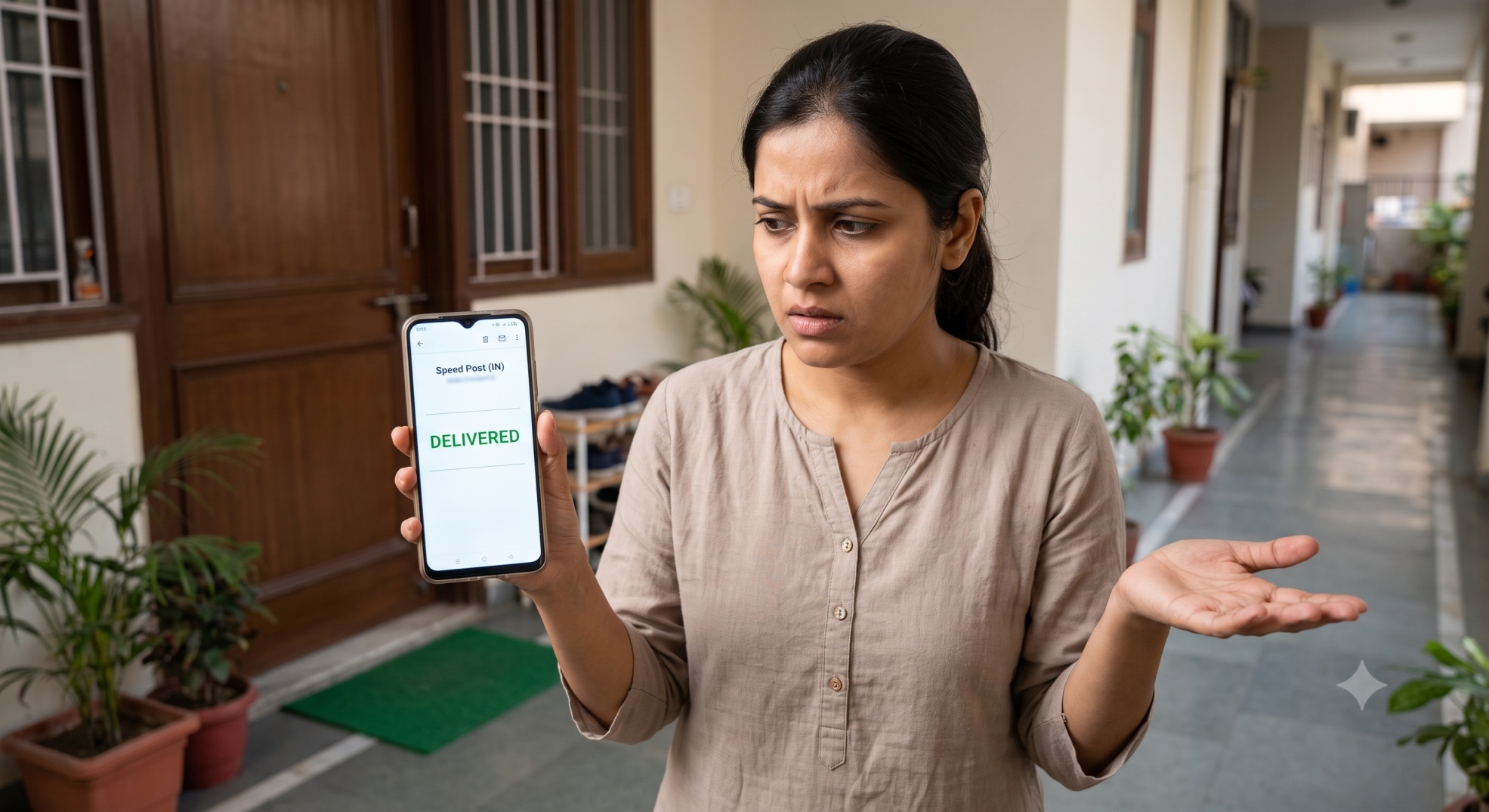
If Speed Post tracking shows "Delivered" but you have not received the article, don't assume it is lost immediately. First check with family members, neighbours, security/reception or anyone who may have accepted it. If nobody has received it, check the delivery details shown in tracking and contact the post office responsible for the delivery.
This guide explains what you should check first, how to approach the delivery post office, what to do if the article is delivered to the wrong person or address, and when the matter needs to be taken further.
Why Does Speed Post Say Delivered But Not Received?
The most common reason for Speed Post delivered but not received is that someone else at your address accepted the parcel on your behalf. Postmen hand over parcels to anyone available at the correct address, not only the named recipient. The following can be the reasons why you personally haven’t received it:
- Proxy Acceptance at Your Address: Postmen are permitted to hand over standard parcels to anyone available at the correct address, not just the named recipient. It is highly likely a family member, security guard, or receptionist accepted it on your behalf and forgot to inform you.
- Address Confusion: If your house, flat, or block number is very similar to an adjacent building, the postman may have accidentally handed it to a neighbor.
- OTP Verification Glitches: For high-value documents, India Post requires a delivery OTP. Occasionally, there is confusion regarding whose mobile number was registered, and the OTP might have been shared by a family member to accept the parcel.
- Premature Digital Scans (End-of-Day Quotas): India Post staff use the Postman Mobile App (PMA) to update tracking statuses live. Sometimes, to meet their daily delivery targets before their shift ends, a postman might scan their final batch of parcels as "Delivered" on the app while still finishing their route. In these cases, the physical parcel usually arrives later that evening or the very next morning.
What to Check First
Before contacting the post office, check with everyone who might have accepted the parcel:
- Family members at home
- Neighbours
- Security guards or building reception
- Office reception or mailroom
- Hostel or apartment staff
- Anyone else who regularly accepts deliveries for you
Also check common drop points like a reception desk, security office, or letterbox. Most "delivered but not received" cases end here.
KEEP NOTE:
- If your Speed Post tracking says Delivered but you did not receive the article, you can ask the delivery post office what delivery record or proof is available for your consignment. If you are the sender, you may also ask about obtaining the applicable Proof of Delivery.
Check the Speed Post Tracking Details After It Shows Delivered
If nobody has received the article, go back to your Speed Post tracking history. Note down the following details associated with the delivery event, particularly:
- The delivery date
- The delivery time
- The post office/location shown with the delivery event
- The exact delivery status or remark
The date and time are useful because they help you establish when the delivery was recorded. The post office or location is also important because it can help identify the office responsible for the final delivery.
For example, if the tracking history shows that your Speed Post article was marked as delivered at 3:20 PM, but no one at your address received it, keep that speed post delivery time on record when you contact the post office.
Take a screenshot of the tracking history if possible. It gives you a record of what was showing when you first noticed the problem.
Which Post Office Should You Contact When Speed Post Shows Delivered?
When Speed Post is showing Delivered but the recipient has not received the article, contact the delivery post office shown in your tracking history, since they hold the actual delivery record.
You need the following information when visiting post office for delivered but not received parcel:
| Information | Why Required |
|---|---|
| Speed Post consignment number | Identifies the article |
| Recipient's name | Helps identify the intended addressee |
| Complete delivery address | Helps verify the destination |
| Delivery date | Identifies the delivery event |
| Delivery time | Helps narrow down the delivery |
| Tracking screenshot | Shows what the tracking record displayed |
When you explain the issue, say simply: "My Speed Post consignment is showing as delivered, but I haven't received it. Could you check the delivery details for this consignment number?" Avoid saying the parcel is "lost," since at this stage you're asking them to verify a delivery that's already on record, not report a missing item.
If you are the sender rather than the recipient, you can also ask the post office about getting a Proof of Delivery for the consignment.
What If an India Post Article Delivered to the Wrong Address?
If your India Post article shows Delivered but to the wrong address, check that the address used by the sender was correct. If you have access to the booking details, compare the recipient's name, address and PIN code with the address you expected the sender to use.
If you think your address was correct and the parcel was delivered to the wrong address, contact the delivery post office (nearest one in most cases). Specifically explain that the intended recipient (or you) has not received the Speed Post article. Give them the consignment number and the complete delivery address so they can check what's actually happening.
Can Speed Post Be Marked Delivered Before You Actually Receive It?
Yes, sometimes, the status changes to Delivered even when you haven't received it yet. It happens when there is a short difference between the tracking event and when the article physically reaches you. But technically, if the tracking status shows delivered, it should be delivered as postmen only do that when Delivery is confirmed.
However, you should not simply ignore the problem if the article remains missing.
First, check with the people and locations mentioned above. If you still cannot find it, check the delivery details and contact the delivery post office.
If your Speed Post tracking status does not show "Delivered", this is a different issue. See our guide on Speed Post tracking not updating for possible reasons and what you can do.
What If Speed Post Shows Delivered to the Addressee?
You may sometimes see a more specific delivery remark in the tracking history, such as "Item Delivered (Addressee)".
If you are the addressee but have not actually received the article, the core issue remains the same: the tracking record says delivered, while the intended recipient says the article was not received.
In such a case, keep a screenshot of the tracking information and contact the delivery post office with the consignment number. Ask them to verify the delivery details associated with that article.
If the tracking wording is unclear to you, you can also ask the delivery office to explain the particular delivery entry.
How to Complain If Speed Post Is Not Received?
If you do not receive your Speed Post article and your neighbour does not take it, you can complain by calling India Post helpline 1800-266-6868, filing online at indiapost.gov.in, or visiting the post office in person to file a written complaint.
Visit or call the delivery post office first and ask them to check their records for your consignment. Request the Proof of Delivery (POD) details if the status shows delivered. It confirms exactly who signed for it and can often resolve the confusion on the spot.
If that doesn't resolve it, you can raise a formal complaint. The India toll-free helpline (1800-266-6868) is the fastest for most people. You can also file directly at indiapost.gov.in under their grievance section. Another option is visiting the post office and asking them to log a written complaint, which creates a physical, dated record.
Some people report that complaining directly to the post office helps to resolve the issue faster. It not only creates physical tracking, but it also puts pressure on staff to resolve the issue quickly.
For the complete complaint process and how compensation works, read our detailed guide on how to complain about a lost Speed Post article and claim compensation.
Quick Checklist: Speed Post Delivered But Not Received
If your speed post parcel show delivered but you haven't received it then:
- Check with family members and anyone who may have accepted the delivery.
- Check your building security, reception, office mailroom or other usual delivery points.
- Open the complete Speed Post tracking history and note the delivery date, time and location.
- Save a screenshot of the tracking record.
- Contact the delivery post office associated with the delivery event.
- Tell them that the tracking shows Delivered but the intended recipient has not received the article.
- If the article cannot be located or the delivery cannot be satisfactorily explained, move to the formal complaint process.
Frequently Asked Questions
What should I do if Speed Post shows delivered but I did not receive it?
First check with family members, neighbours, security or reception to see whether someone accepted the article on your behalf. If nobody has received it, note the delivery details shown in tracking and contact the delivery post office with your consignment number.
What should I do if Speed Post was delivered to the wrong address?
Contact the delivery post office and explain that the intended recipient has not received the article. Provide the Speed Post consignment number and the correct delivery address and ask them to check the delivery details.
Who should I contact if Speed Post shows delivered but not received?
Contact the delivery post office associated with the final delivery event in your tracking history. Keep your consignment number and delivery details ready when making the enquiry.
How can I check who received my Speed Post parcel?
If you did not receive the parcel even though tracking shows Delivered, contact the delivery post office with the consignment number to know who received your parcel. Ask them to verify the delivery record and explain the delivery details available for that article.
What does "Item Delivered (Addressee)" mean in Speed Post tracking?
Item Delivered (Addressee) means that the article has been recorded as delivered to the addressee. If you are the intended recipient but have not received the article, contact the delivery post office and verify the delivery details for your consignment.
📌 Related Guides
| ⏱️ Delivery Time | 🛂 Passport Tracking | 📅 Postal Holidays |
|---|---|---|
| Speed Post Delivery Time: How Many Days Does It Take? | Passport Dispatched via Speed Post? How to Track Live | Post Office Holiday List 2026: Is It Open Today? |
| Speed Post takes 1 to 5 working days depending on distance. Here's complete guide. | Received "passport dispatched via Speed Post" SMS? Here's how to track it. | Find the complete India Post holidays list 2026 with live tracker. |
| Read Article → | Read Article → | Read Article → |
Ready to Track Your Package?
Get secure, real-time tracking updates instantly — no login required.
Track Speed Post Now